Introducing Verse
What is Verse? #
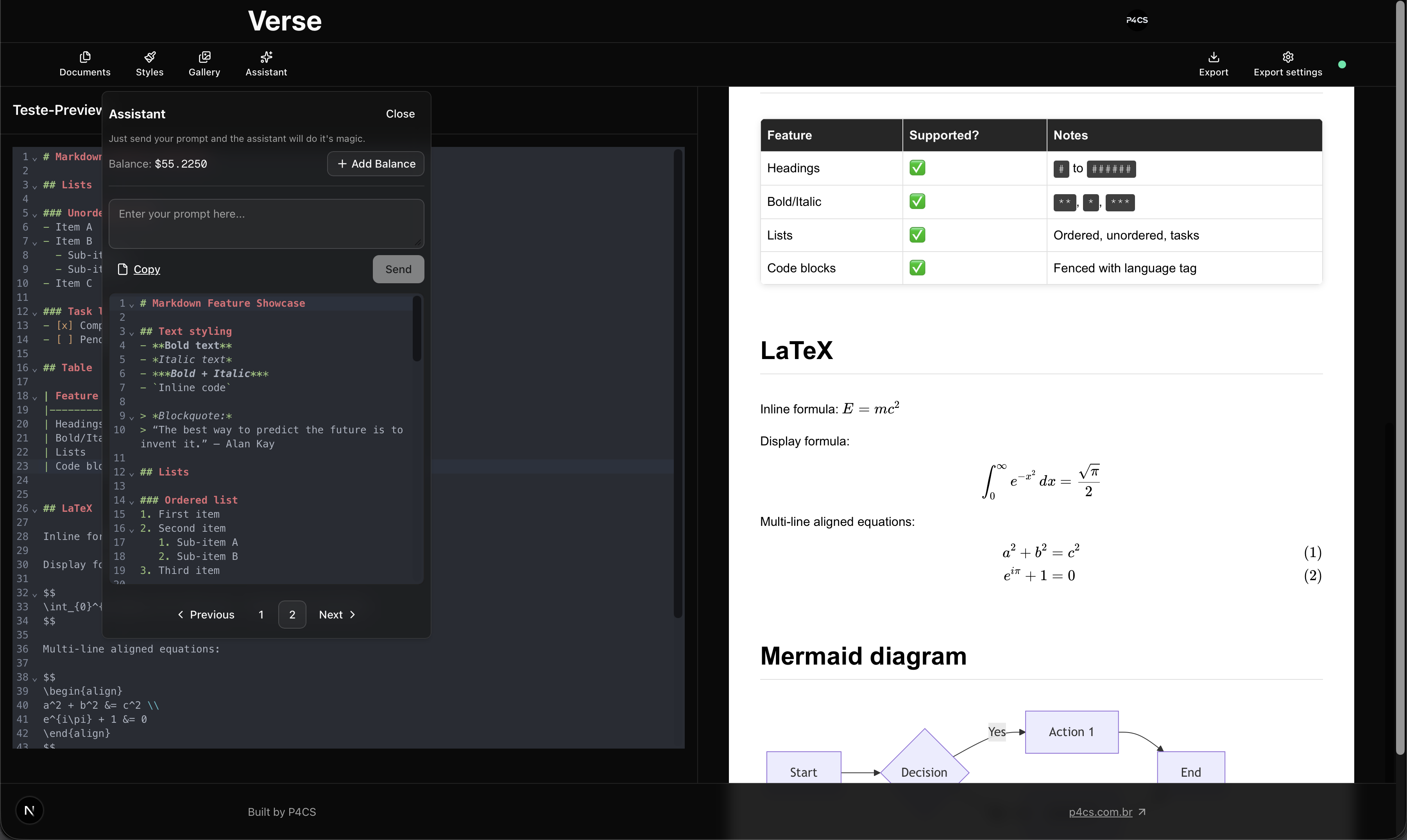
Verse is a lightweight, local-first open source Markdown editor web app, built with objectivity and swiftness in mind. You can try it out at verse.p4cs.com.br.
Why Markdown? #
I have long disliked using bloated applications for writing – I’m looking at you, Microsoft Word –, so for a long time I’ve been looking for alternatives that are simple, fast, and effortless to use.
With the rise of AI in the last few years, markdown inevitably gained some popularity, since it’s the “language” AI answers us in. When I first started using it, I was amazed by how simple and effective it was. To me, it reminded me of the power of HTML or LaTeX, but with a much gentler learning curve, and lower complexity. So, I decided to adopt it as my main writing format.
The problem #
Now that I’ve decided to banish traditional, full of buttons and menus word processors from my life, I needed a tool to write in markdown. So I began my search for not only a markdown editor, but a tool that would allow me to convert my markdown contents into shareable documents.
Tool #1 #
The first tool I tried was Notion. Don’t get me wrong, Notion is a really powerful tool, but it wasn’t what I was looking for. It does allow you to export your markdown into PDF, but the many other features it offers were a bit overwhelming for me.
I just wanted a simple writing tool, and Notion felt like a project management tool that also allowed you to write.
Tool #2 #
Then, I tried Obsidian. Unlike Notion, Obsidian does market themselves as a markdown editor, and it does a great job at that. So what was wrong this time? Too many features.
Obsidian is an amazing tool for all it’s knowledge management capabilities, and community plugins. Also, it allowed me to export my notes as PDF, and even customize the CSS of the exported document (even though I didn’t manage to get working – highly likely a skill issue). And the fact that I had to actually organize my notes into a vault (a folder structure) was a bit of a turn off for me.
Tool #3 #
Visual Studio Code was my next attempt. I already used it for coding, so why not use it for writing too? It has the Markdown Preview feature (which highly inspired the desing of Verse, by the way), and with the right extension – in this case markdownpdf by YZane – I could export my markdown files into shareable formats (PDF and images), and customizing the styling of the document was as easy as creating a CSS file, and pointing the extension to it in the settings. It even allowed me to easily use AI, through Github Copilot, to help with the writing and styling of documents.
So, why did I stop using it? Too. Many. Features. VS Code is an amazing piece of software, the things you can do with it are truly endless. But it’s not a writing tool. It’s a coding tool that can be used for writing.
The insight #
I got tired of searching for the perfect tool on the wild. And even thought it may very well exist, why not build it myself? After all, I had some inflexible requirements for my ideal writing tool:
- It had to be fast.
- It had to be simple.
- It had to be easy.
And so, my journey to build Verse began.
The Solution (building Verse) #
First build #
At first, I was building Verse as a closed source macOS native app, using SwiftUI. Honestly, because I wanted to learn SwiftUI – and use liquid glass LOL – and I thought it would be a good opportunity to do so. Here’s a screenshot of how it looked:
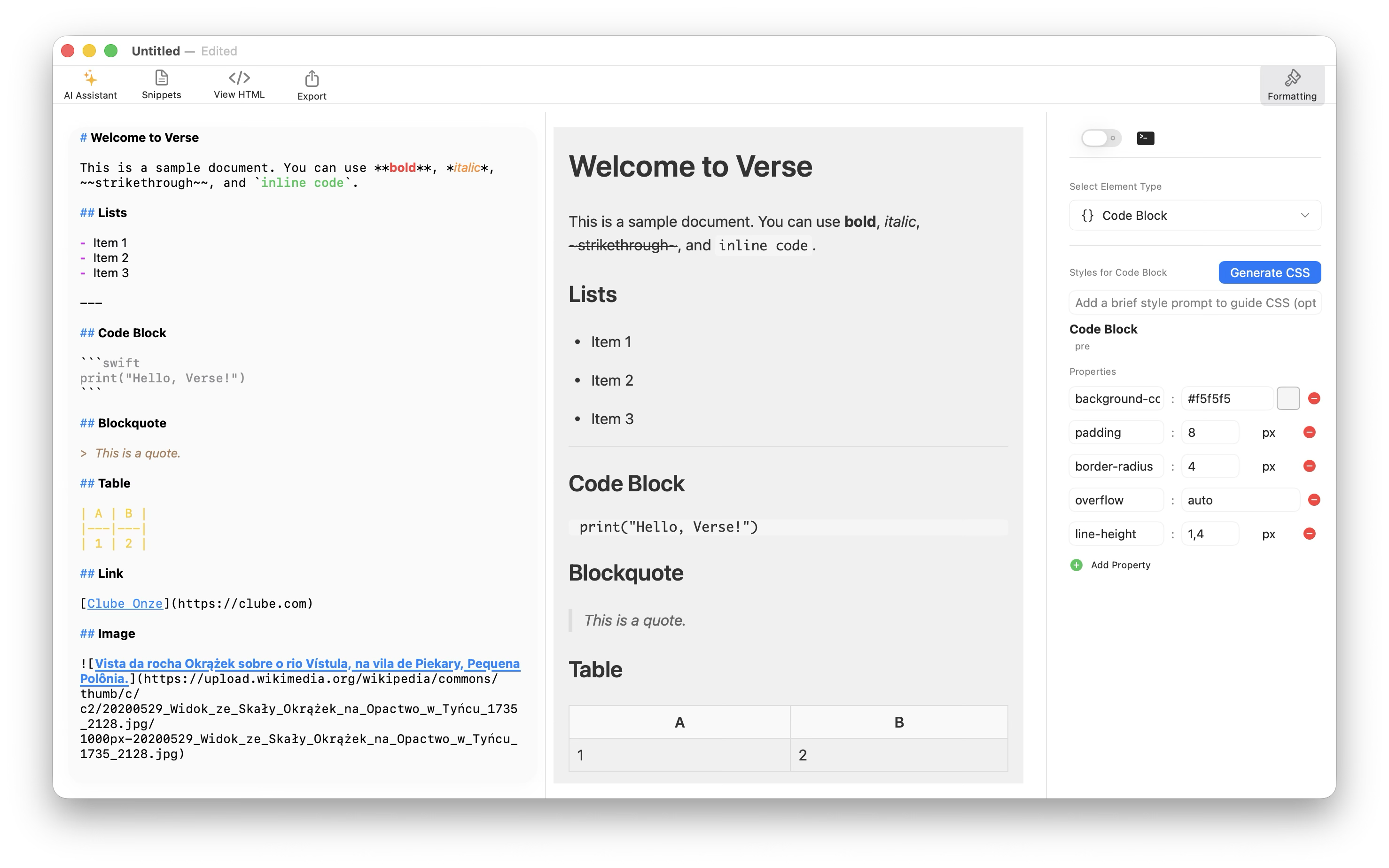
Pretty cool right? It was simple, and easy to use. Not so fast, but fast enough. I even managed to implement the AI features and CSS customization via GUI – even if it was still a bit clunky.
So, why not release it like that? Because I realized that the more people could use it and the more people could contribute to it, Verse would become a better tool.
And just around that time, I read PostHog’s article on the benefits of open source, and I came to the conclusion that I had to make it from scratch, open source, and in such a way that it could be used by anyone, anywhere, which inevitably led me to the web.
What’s next? #
The app is still in its early stages, and there’s a lot of work to be done. But I’m excited about the journey ahead, and I hope you’ll join me on it. Please check out the github repository, and feel free to contribute to the project!
For the near future I want to implement some agentic features into the AI assistant, and some refinement for the exporting capabilities, and more styling utilities.
Check Verse out, and let me know what you think. The first $2 are on me!